How to Use Digital Tools for Business Collaboration
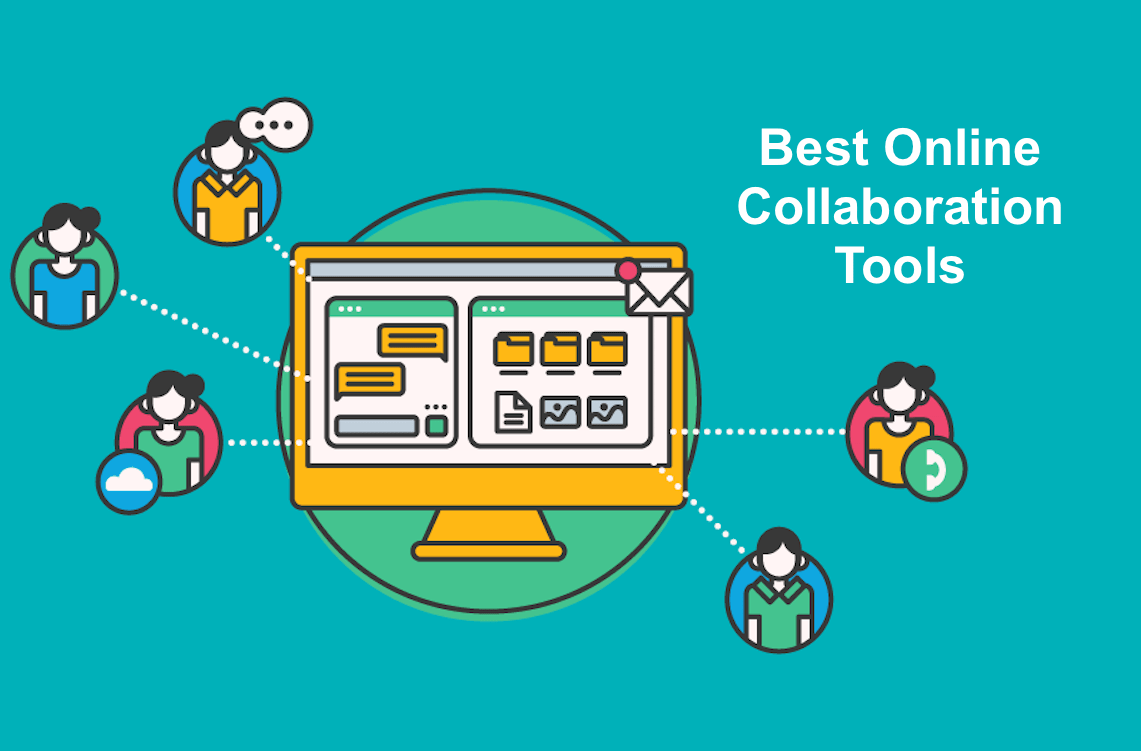
Level Up Your Teamwork: Mastering Digital Tools for Business Collaboration
Hey there, future collaboration champions! Ever feel like herding cats when trying to get your team on the same page? We've all been there. Picture this: Sarah from marketing is using a different version of the project brief than John from sales, and Emily in customer support is completely out of the loop. The result? Chaos, missed deadlines, and maybe a few passive-aggressive Slack messages (we've all sent one, haven't we?). In today's fast-paced world, where remote work is becoming the norm and teams are increasingly distributed across different time zones, effective collaboration is no longer a luxury – it's a necessity. But fear not, because the digital world has gifted us with a treasure trove of tools to turn that collaborative chaos into a well-oiled, high-performing machine! Think of it as upgrading from carrier pigeons to instant messaging – a significant improvement, wouldn't you agree?
We're talking about more than just email, friends. We're diving deep into the world of project management software, real-time communication platforms, cloud-based document sharing, and even virtual whiteboards that can make brainstorming sessions feel like you're all in the same room (minus the stale coffee and awkward small talk). The good news is, you don't need to be a tech guru to master these tools. Seriously, if I can figure them out, anyone can! The key is to understand which tools are best suited for your team's specific needs and to implement them in a way that fosters clear communication, streamlined workflows, and a shared sense of purpose. It’s about creating a digital ecosystem where everyone can contribute their best work, regardless of location or time zone.
But where do you even begin? That's where this guide comes in. We're going to break down the most essential digital tools for business collaboration, walk you through how to use them effectively, and share some insider tips to help you avoid common pitfalls. We’ll explore how these tools can help your team achieve peak performance, boost productivity, and even have a little fun along the way. So, grab your favorite beverage, settle in, and prepare to unlock the secrets of seamless digital collaboration. Are you ready to transform your team into a collaboration powerhouse? Let's get started!
Unlocking Seamless Collaboration: A Deep Dive into Digital Tools
So, you're ready to ditch the endless email chains and embrace the power of digital collaboration? Fantastic! But with so many tools out there, it's easy to feel overwhelmed. Don't worry, we're going to break it down and make it manageable. Let's explore the key categories of tools and how to use them effectively.
Project Management Platforms: Keeping Everyone on Track
Imagine a world where deadlines are met, tasks are clearly assigned, and everyone knows exactly what they're responsible for. That's the promise of project management platforms. These tools are designed to centralize all your project information, making it easy to track progress, manage resources, and communicate effectively.
- Task Management is Crucial: Think of tools like Asana, Trello, and Monday.com as your digital to-do lists on steroids. You can create tasks, assign them to specific team members, set due dates, add attachments, and track progress in real-time. Most importantly, they offer features such as setting priorities, dependencies, and subtasks, which helps to ensure a well-organized workflow.
- Visualizing Workflow: Many project management platforms offer visual boards, like Kanban boards, that allow you to see the progress of each task at a glance. This is particularly useful for agile teams who want to iterate quickly and adapt to changing priorities.
- Time Tracking is Key: Some project management platforms also include time tracking features, allowing you to see how much time your team is spending on each task. This can be invaluable for budgeting, resource allocation, and identifying areas where productivity can be improved.
Example: Let's say you're launching a new marketing campaign. With Asana, you can create tasks for everything from writing blog posts to designing social media ads, assigning each task to the relevant team member and setting a clear deadline. The team will be able to update their progress, upload files, and leave comments directly on the task, ensuring everyone stays informed and on the same page.
Example: Trello's Kanban boards are incredibly intuitive. You can create columns for different stages of a project, such as "To Do," "In Progress," and "Completed," and then drag and drop tasks between columns as they move through the workflow. This provides a clear visual representation of the project's status and helps identify any bottlenecks.
Example: Monday.com offers robust time tracking capabilities that allow you to monitor how much time each team member spends on each task. This data can be used to generate reports that provide insights into project profitability and team efficiency.
Communication Hubs: Say Goodbye to Email Overload
Email is great for some things, but for real-time collaboration, it often falls short. Communication hubs like Slack and Microsoft Teams provide a central place for your team to chat, share files, and collaborate on documents in real-time.
- Channels for Organized Discussions: These platforms allow you to create channels for specific projects, teams, or topics, keeping your conversations organized and focused. This prevents important information from getting lost in the noise of general email threads.
- Direct Messaging for Quick Questions: For quick questions or one-on-one conversations, direct messaging is a much more efficient alternative to email. You can get answers instantly and keep your communication flowing smoothly.
- Integrations for Seamless Workflow: Communication hubs integrate with a wide range of other tools, such as project management platforms, file sharing services, and calendar apps. This allows you to streamline your workflow and keep all your essential information in one place.
Example: In Slack, you can create a channel called "#marketing-campaign-launch" to discuss all things related to the new marketing campaign. Team members can share ideas, ask questions, and provide updates without clogging up everyone's inboxes.
Example: Need to quickly check in with a colleague about a deadline? Instead of sending an email, simply send them a direct message in Slack or Teams. They'll see it immediately and can respond right away.
Example: You can integrate your Asana project management platform with Slack to receive notifications about task updates, new comments, and upcoming deadlines directly in your Slack channels. This ensures that everyone stays informed about the project's progress without having to constantly switch between different apps.
Cloud-Based Document Sharing: Collaboration in Real-Time
Gone are the days of emailing multiple versions of the same document back and forth. Cloud-based document sharing services like Google Workspace (formerly G Suite) and Microsoft 365 allow you to collaborate on documents in real-time, making it easy to track changes, provide feedback, and ensure everyone is working on the latest version.
- Real-Time Collaboration: Multiple team members can work on the same document simultaneously, seeing each other's edits in real-time. This eliminates the confusion and errors that can arise from working on different versions of the same file.
- Version History: These services automatically track all changes made to a document, allowing you to easily revert to previous versions if needed. This is a lifesaver if someone accidentally deletes something or makes a mistake.
- Seamless Sharing and Access Control: You can easily share documents with specific team members and control their access permissions. This ensures that sensitive information is only accessible to those who need it.
Example: Using Google Docs, multiple team members can simultaneously edit a presentation, add comments, and suggest changes. This collaborative process ensures that everyone's input is considered and the final product is of the highest quality.
Example: If a team member accidentally deletes a section of a shared document, you can easily restore a previous version of the document using the version history feature in Google Docs or Microsoft Word Online.
Example: You can share a confidential financial report with only the senior management team and grant them editing permissions, while granting view-only access to other team members who need to be aware of the information.
Virtual Whiteboards: Brainstorming Without Boundaries
Need to brainstorm ideas, map out workflows, or create visual presentations? Virtual whiteboards like Miro and Mural provide a collaborative space for teams to work together visually, regardless of location.
- Collaborative Canvas: These platforms offer a large, digital canvas where team members can add sticky notes, draw diagrams, and share ideas in real-time. This is perfect for brainstorming sessions, workshops, and design thinking exercises.
- Templates for Various Activities: Virtual whiteboards come with a wide range of templates for different activities, such as SWOT analysis, mind mapping, and project planning. This can help you get started quickly and structure your collaboration sessions effectively.
- Integrations with Other Tools: Virtual whiteboards integrate with other collaboration tools, such as video conferencing platforms and project management software. This allows you to seamlessly incorporate visual collaboration into your existing workflow.
Example: During a brainstorming session for a new product launch, team members can use Miro to add sticky notes with their ideas to a shared whiteboard. They can then vote on the best ideas and organize them into a product roadmap.
Example: You can use a pre-built SWOT analysis template in Mural to facilitate a discussion about the strengths, weaknesses, opportunities, and threats facing your company. This can help you identify areas for improvement and develop a strategic plan for the future.
Example: You can integrate Miro with Zoom to share your whiteboard with participants during a video conference. This allows you to brainstorm ideas and collaborate visually with remote team members in real-time.
Tips for Successful Implementation
Okay, so you've chosen your tools. Now what? Simply installing them and hoping for the best isn't enough. Successful implementation requires a thoughtful approach and a commitment to ongoing training and support.
- Start with a Pilot Project: Don't roll out new tools to your entire team at once. Start with a small pilot project to test the waters and get feedback. This will allow you to identify any issues and make adjustments before implementing the tools company-wide.
- Provide Adequate Training: Make sure your team members know how to use the new tools effectively. Provide training sessions, create user guides, and offer ongoing support. The more comfortable your team is with the tools, the more likely they are to use them consistently.
- Establish Clear Guidelines and Protocols: Define how the tools should be used and establish clear protocols for communication and collaboration. This will help ensure that everyone is on the same page and that the tools are used in a consistent and productive manner.
- Encourage Feedback and Iteration: Regularly solicit feedback from your team members about their experience with the new tools. Use this feedback to make adjustments and improvements to your implementation strategy. Collaboration is an ongoing process, so your tools and processes should evolve over time to meet your team's needs.
- Lead by Example: As a leader, it's important to lead by example and actively use the collaboration tools yourself. This will show your team that you're committed to using the tools and that you value collaboration.
Common Pitfalls to Avoid
Even with the best tools and intentions, there are some common pitfalls that can derail your collaboration efforts. Here are a few things to watch out for:
- Tool Overload: Don't try to implement too many tools at once. Start with a few essential tools and gradually add more as needed. Overwhelming your team with too many options can lead to confusion and frustration.
- Lack of Adoption: Make sure your team members are actually using the collaboration tools. If they're not, find out why and address their concerns. It's important to get buy-in from your team to ensure that the tools are used effectively.
- Poor Communication: Collaboration tools can't solve communication problems on their own. You still need to foster a culture of open communication and transparency. Encourage your team members to share their ideas, ask questions, and provide feedback.
- Ignoring Security Concerns: Make sure you're taking appropriate security measures to protect your data. Choose tools that offer strong security features and implement policies to prevent unauthorized access.
- Forgetting the Human Element: Collaboration tools are designed to facilitate communication and collaboration, but they shouldn't replace face-to-face interaction altogether. Make sure you're still making time for team building activities and social events.
Frequently Asked Questions
Let's tackle some common questions about using digital tools for business collaboration:
- Question 1: My team is resistant to change. How can I get them to adopt new collaboration tools?
- Question 2: We're a small business with a limited budget. Are there any free or low-cost collaboration tools available?
- Question 3: How do I choose the right collaboration tools for my team?
- Question 4: How can I measure the success of our collaboration efforts?
Answer: Start small! Introduce one tool at a time and focus on the benefits it will bring to their specific roles. Provide thorough training and support, and encourage them to share their feedback. Highlight early successes to build momentum and demonstrate the value of the new tools.
Answer: Absolutely! Many excellent free or freemium tools are available. Slack offers a free plan with limited features, and Google Workspace provides a generous amount of free storage. Trello also has a free plan suitable for small teams. Explore these options and find the ones that best fit your needs.
Answer: Consider your team's size, structure, and specific needs. What are the biggest pain points you're trying to solve? Do you need a robust project management platform, a simple communication hub, or a virtual whiteboard? Research different tools, read reviews, and try out free trials before making a decision.
Answer: Track key metrics such as project completion rates, time to completion, team satisfaction, and communication efficiency. Monitor the usage of your collaboration tools and gather feedback from your team to identify areas for improvement. The ultimate goal is to see increased productivity, improved communication, and a more engaged and collaborative team.
Conclusion: Embrace the Future of Collaboration
So, there you have it! A comprehensive guide to using digital tools for business collaboration. We've explored the most essential types of tools, discussed how to implement them effectively, and identified some common pitfalls to avoid. It's clear that leveraging these tools can transform your teamwork, boost productivity, and create a more engaged and collaborative work environment.
But remember, friends, technology is just a tool. The real magic happens when you combine the right tools with a strong culture of communication, transparency, and trust. Foster an environment where team members feel comfortable sharing their ideas, asking questions, and providing feedback. Encourage collaboration at every level of your organization, and celebrate successes along the way.
Now, it's your turn! Take what you've learned today and start experimenting with different collaboration tools. Identify the ones that best fit your team's needs and implement them thoughtfully. Don't be afraid to iterate and adjust your strategy as you go. The key is to find a system that works for you and your team and to continuously strive for improvement.
We challenge you to implement at least one new collaboration tool within the next month and track its impact on your team's performance. Share your experiences in the comments below, and let us know what challenges you faced and what successes you achieved. Let's learn from each other and build a community of collaboration champions!
The future of work is collaborative, and by embracing digital tools, you can empower your team to achieve amazing things. Believe in your team, trust the process, and remember that even small changes can make a big difference. Are you ready to unlock the full potential of your team and transform the way you work?

Post a Comment for "How to Use Digital Tools for Business Collaboration"
Post a Comment